 OfficeSimplify for Slack
Leave management and time off tracking in Slack
Employees book holiday, sick days and other leave with /timeoff. Managers approve from a direct message. Everyone gets a daily digest of who's out, and Slack status updates itself.
30-day free trial · No card needed
Direct message · OfficeSimplify
Mon 5 Oct

👋 Priya Shah has requested 3 days holiday. Your approval is needed.
Done. Priya has been told, the leave is on the wall chart, and her Slack status will switch to Away on Mon 12 Oct.
Priya has been told her request was rejected. She can pick new dates with /timeoff.
Home tab
Allowances and booked leave in the Slack home tab
Each person sees what they have left, what is pending and approved, their booked leave and upcoming public holidays in the OfficeSimplify home tab. It works for fixed allowances and unlimited PTO.
OfficeSimplify
Request time off with
/timeoff
in the Messages tab, or on officesimplify.com.
Book time off
Book time off directly in Slack
Employees use the /timeoff command or the Request time off button. They pick the leave type and dates, see what they have left, and send. No other website to log in to.

Approvals
Approve leave requests from a Slack message
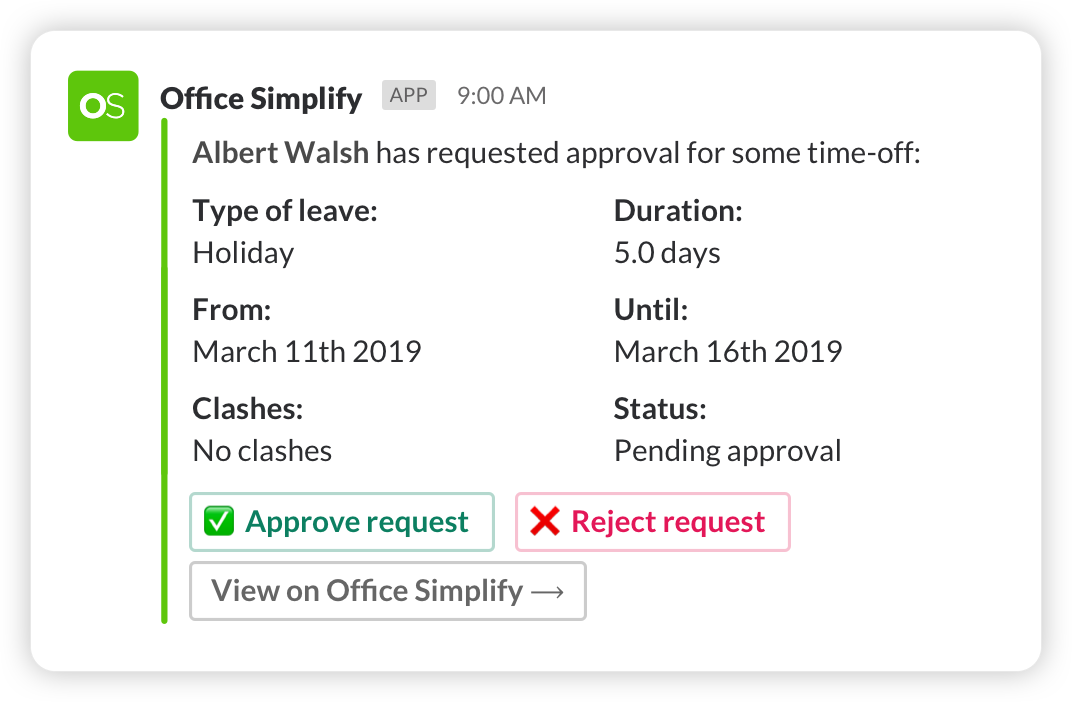
Managers get a direct message with the dates, the days left after, and any clash with approved leave. Approve or decline in one click. No more fleeting emails or complicated spreadsheets.
Notifications
Employees hear back straight away
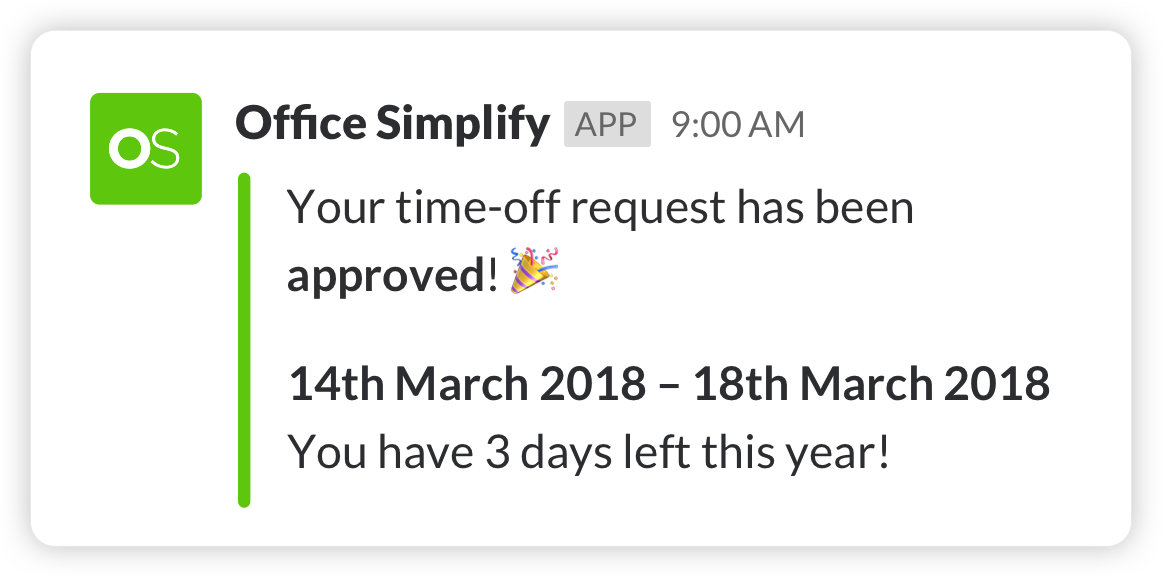
OfficeSimplify messages the employee the moment their request is approved or declined, so no one waits weeks to make holiday plans.
Daily digest
A daily digest of who's out
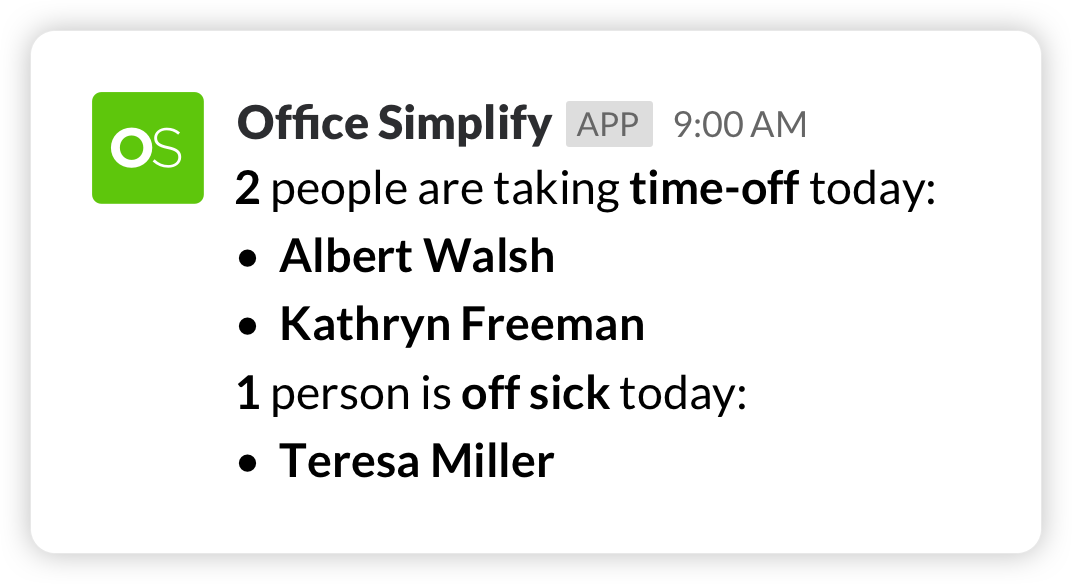
Each morning a channel gets the list of who has approved leave today, plus birthdays and other dates to watch out for.
Slack status
Slack status updates automatically
While someone is on leave, their Slack status shows Away with a message and emoji you choose for each leave type. It resets to Available when they are back.
Can someone review the onboarding screens today?
Handing over to Tom while I’m off. Notes are in the doc.
Set up in under 10 minutes
-
1 · About 1 minute
Add OfficeSimplify to Slack
Sign up with your Slack account and add the app to your workspace. No card needed for the 30-day trial.
-
2 · About 2 minutes
Tell us about your company
Your company name, default leave allowance and country, so public holidays and allowances are right from day one.
-
3 · About 5 minutes
Import your team and go
Bring people in from Slack and pick the channel for the daily digest. Everyone can use /timeoff straight away.
“We stopped chasing holiday requests in Slack and email. Our team now books and approves leave without opening another HR system.”
Slack time off questions
Your team on Microsoft Teams instead? See OfficeSimplify for Teams.
Is there a time off bot for Slack?
Yes. OfficeSimplify adds a bot to your Slack workspace. Employees book leave or vacation with /timeoff or the Request time off button, and managers approve from the message.
Can I track PTO and vacation in Slack?
Yes. Employees request PTO, vacation, sick days or any leave type you set up, and see their balance in the OfficeSimplify home tab. It works for fixed allowances and unlimited PTO.
Can managers approve leave in Slack?
Yes. Each request arrives as a direct message to the right manager, with Approve and Reject buttons and any clashes shown.
Does it set an out of office status in Slack?
Yes. While someone is on vacation or other leave, their status changes to Away with a custom message and emoji for each leave type, and resets when they return.
Is OfficeSimplify in the Slack Marketplace?
Yes. Slack reviews every app before it goes into the Marketplace. See OfficeSimplify in the Slack Marketplace.
How much does the Slack app cost?
£3 per employee per month, with every feature included. Start with a 30-day free trial, no card needed.
Can I import my team from Slack?
Yes. Import your whole workspace when you sign up, or add people later from your dashboard with one click.
Join 1k+ teams who never miss a holiday request
30-day free trial · No card needed · See pricing